

Job Portal Pro (Sample)
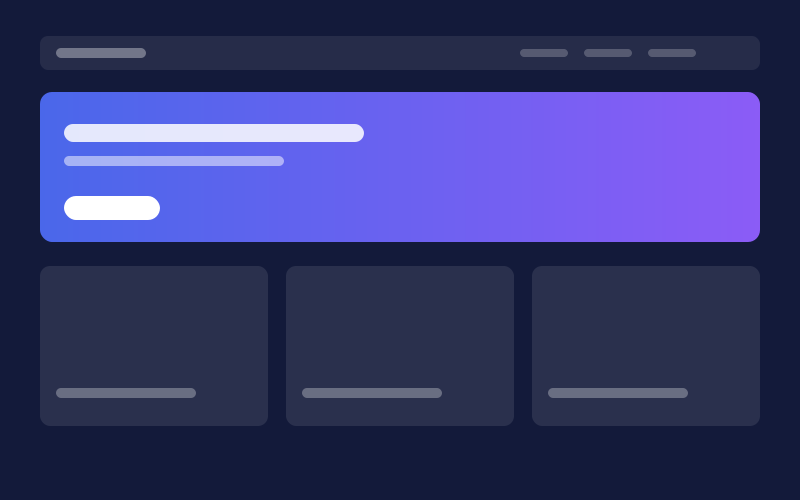
Sample job portal layout with vacancy tables, category tabs and notification blocks for Blogger sites.
Works with Blogger (Layout theme)
- Vacancy table blocks
- Category tab navigation
- Mobile-first layout
Tip Press Ctrl + K to search templates, guides and docs. Tap the magnifier to search. Browse templates
Themes · Plugins · Templates
Garudavix is a marketplace for website themes, plugins, templates, UI kits and scripts. Find a product, check its license and requirements, and follow a clear setup guide.
Explore Products Browse Free Products
Search products, articles, docs…Search…Ctrl KBrowse
XML themes for Blogger sites
10 productsThemes for WordPress websites
6 productsAdd features to WordPress
5 productsStatic site templates
3 productsThemes for online stores
2 productsDesign systems and screens
2 productsReady-to-run apps and code
2 productsLogos and design assets
2 productsShowcase
Drag, scroll, or use the arrow keys. Entries are development samples.
New arrivals
Sample job portal layout with vacancy tables, category tabs and notification blocks for Blogger sites.
Works with Blogger (Layout theme)
Sample editorial layout with a lead story grid, section blocks and a clear headline hierarchy.
Works with Blogger (Layout theme)
Sample education layout focused on readable study notes, course lists and simple navigation.
Works with Blogger (Layout theme)
Sample technology blog layout with review cards, code-friendly typography and dark mode support.
Works with Blogger (Layout theme)
Sample business layout with a services section, contact area and clean call-to-action blocks.
Works with Blogger (Layout theme)
Sample personal blog layout with a narrow reading column, author box and minimal sidebar.
Works with Blogger (Layout theme)
Sample portfolio layout with a project grid, case study blocks and a simple contact call-to-action.
Works with Blogger (Layout theme)
Sample minimal layout built for fast reading, with a single column, small footprint and no sidebar widgets.
Works with Blogger (Layout theme)
Free downloads
Free themes, templates and plugins, each with its own license and setup guide.
Sample education layout focused on readable study notes, course lists and simple navigation.
Works with Blogger (Layout theme)
Sample personal blog layout with a narrow reading column, author box and minimal sidebar.
Works with Blogger (Layout theme)
Sample minimal layout built for fast reading, with a single column, small footprint and no sidebar widgets.
Works with Blogger (Layout theme)
Sample free WordPress blog theme with a fast single-column layout, readable type and a small CSS footprint.
Works with WordPress 6.x
What to look for
Hover or focus a part to find it in the 3D layers.
A clear menu and search that work on touch screens and with a keyboard.
One focused area, such as a featured post or offer, so the most important content comes first.
Readable cards with consistent images, titles and dates.
Only the widgets visitors use, such as search, categories and popular posts.
Links to policies, contact and the pages that build trust.
Categories
How it works
Filter by product type, category and price, then check the license, requirements and compatibility.
Back up your site, then follow the setup guide for your platform: Blogger, WordPress or plain HTML.
Set your logo, menu and colors with the customization guide, then test on mobile.
Why Garudavix
Blogger, WordPress, HTML, online stores, UI kits, scripts and graphics in one catalog.
Setup, customization and troubleshooting guides sit alongside the listings.
Each product states its license, version and support terms before you download or buy.
Prices appear only when set. No invented ratings, reviews or sales figures.
Learn
A practical checklist for picking a WordPress theme: purpose, speed, flexibility, updates, support and the questions to ask before you buy.
Install WordPress plugins without breaking your site: vet the source, back up first, test changes and know how to recover from a conflict.
A plain explanation of themes, plugins and templates, what each one does for a website and how to decide which one you need.
FAQ
Themes, plugins, templates, UI kits, scripts and graphics for platforms such as Blogger, WordPress and plain HTML. Each listing shows its type, requirements, license and version.
Not to install most products. Customization such as logo, menu and colors is covered in the customization guide.
Yes, if you back up first. Every setup guide starts with a backup step. See the documentation.
Browse the catalog, check the requirements and follow the setup guide.